Links and Wheels
The Links tab
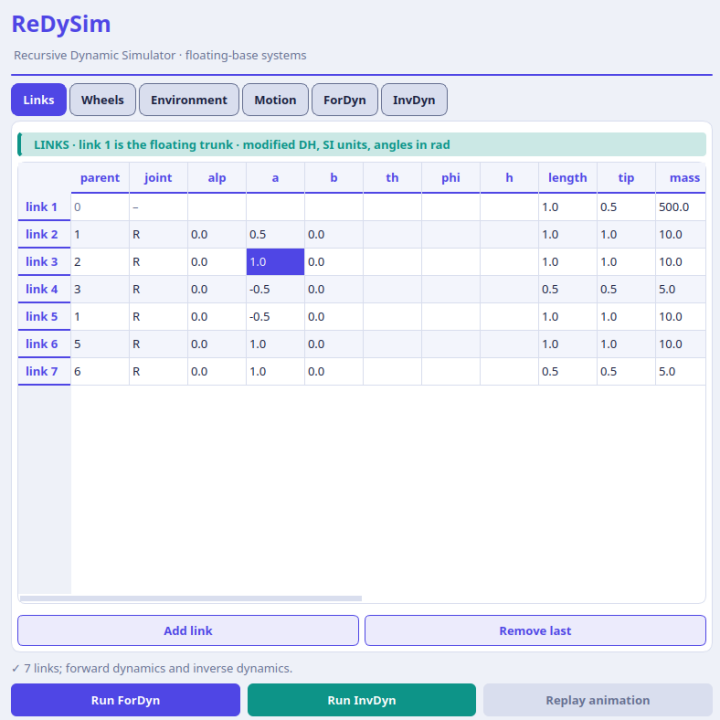
The table has one row per link. Link 1 is the trunk: it has no joint, so its parent is
0 and the joint and DH cells are greyed out. Every other link is attached to a link with a
smaller number. A change is checked when you press Enter or leave the cell, and the drawing
follows.
| column | meaning |
|---|---|
parent |
the number of the link this one is attached to (1 is the trunk). Two links with the same parent make two branches, for example two legs |
joint |
R for revolute (it turns), P for prismatic (it slides) |
alp, a, b |
the modified Denavit-Hartenberg numbers of the joint: twist angle (rad), link length (m), joint offset (m) |
th, phi, h |
optional. th is the DH joint angle of a prismatic joint (a revolute joint turns by its own joint value, so th has no effect on it). phi and h are the branch angle and branch offset of a link that starts a second branch. Leave them empty when you do not need them: they are then left out of the file |
length, tip |
the rod that represents the link in the drawing: its length, and where it ends along the link's x axis, measured from the link's origin |
mass |
the mass of the link (kg) |
cx, cy, cz |
the centre of mass in the link's own frame (m) |
Ixx, Iyy, Izz, Ixy, Iyz, Izx |
the inertia about the centre of mass, in the link frame (kg m²) |
- A cell takes a number or a small expression:
0.25,pi/2,0.3*2,sqrt(2),radians(90), or90dfor 90 degrees (shown asradians(90)when you leave the cell). The table writes the value of the expression into the file. - A wrong cell turns red and a message under the table says which one and why. Nothing is written to the model until every cell is valid.
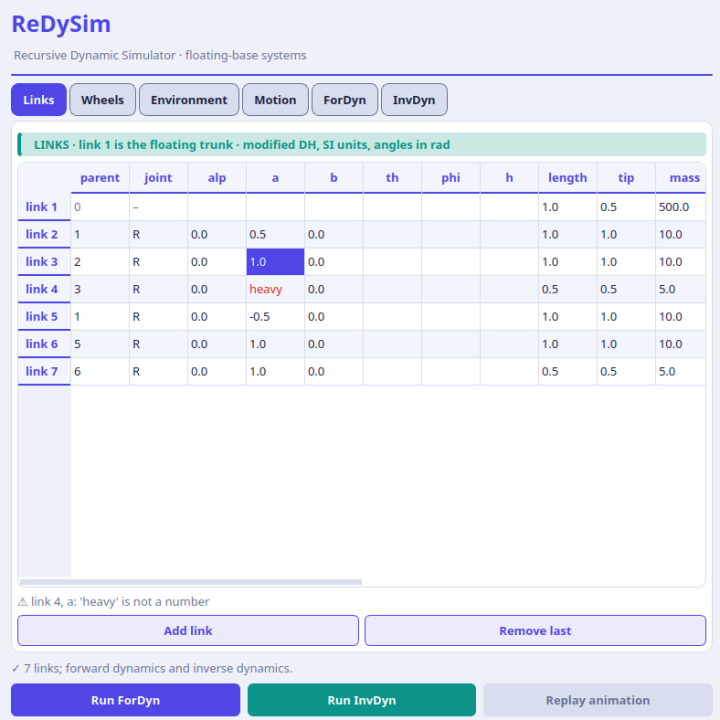
- Add link adds a row at the end, attached to the previous link, with a first guess (a 0.5 m link of 1 kg). Remove last removes the last row (the trunk always stays). Each is a step you can undo.
- A change to a parent or a joint type changes how the robot is assembled: look at the Model tab after it.
What happens to the file
The table writes only the links: part of the model file, and leaves the rest alone. Inside
that part the file is written again in the same way for every link, so a comment you wrote
between the links is not kept. A comment anywhere else in the file is.
The Wheels tab
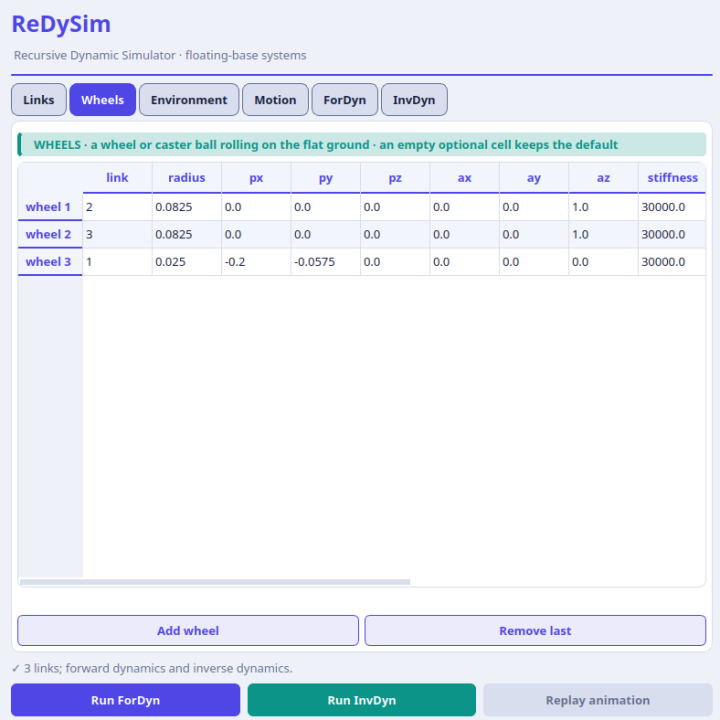
A wheeled robot has one row per wheel, or per caster ball, rolling on the flat ground.
The ground itself is the plane of the Environment tab, or, for a robot
with no ground, the plane set by wheel_axes in the file.
| column | meaning |
|---|---|
link, radius |
the link that carries the wheel (the trunk may carry a caster) and the radius (m). The lowest point of the rim touches the ground |
px, py, pz |
the hub (the wheel centre) in the link frame; empty means 0 |
ax, ay, az |
the axle direction in the link frame. The wheel rolls along axle × up. All three empty or 0: a ball, a caster that rolls in every direction |
stiffness, damping, rebound_speed |
the tyre as a spring and damper on the ground (N/m, N s/m, m/s) |
longitudinal, lateral |
the friction coefficients along the rolling direction and sideways. A large lateral keeps the wheel from sliding sideways, and a large longitudinal makes it roll without slip |
friction |
the friction coefficient that limits those forces |
An empty optional cell keeps the default, and the key is left out of the file. Add wheel
and Remove last work as in the Links tab; removing the last wheel removes the wheels:
part of the file. A robot with wheels also gets a Wheel forces plot (the tyre force at each
contact point).