See the robot: the Model tab
The Model tab draws the robot in its start pose (the q0 of the forward dynamics
settings, or all zeros). Nothing has to be run. It redraws a moment after every change you make
in the table or in q0.
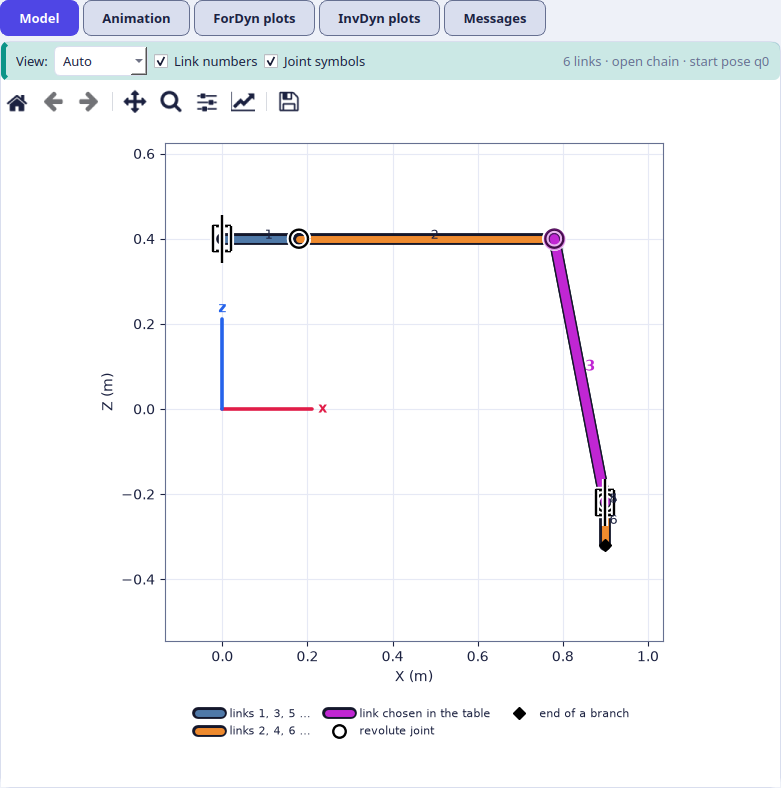
How to read the drawing
| what you see | what it is |
|---|---|
| a rod with a dark outline | a link. Links 1, 3, 5, ... are steel blue, links 2, 4, 6, ... are orange |
| a magenta rod | the link you chose in the links table |
| a small cylinder (a circle when seen end-on, a pin with a rectangle when seen from the side) | a revolute joint, drawn along its axis of rotation |
| a block on a dotted line | a prismatic (sliding) joint, on its rail. When the joint slides along the link before it (a leg of a Stewart platform), the block is drawn in the middle of that link, not at its end |
| a black diamond | the end of a branch, for example the end effector |
| a small coloured dot | a point the model asks the animation to trace with trace: [x, y, z] (for example the pen point of a pantograph), in the colour of its path. The dot is shown even when Trace paths is off |
| a see-through coloured area, with a teal dot in it | the platform of a closed loop (a link with two or more cut points), and its tip. Put the link's tip at the centre of the platform to mark the centre |
| a number beside a rod | the number of the link |
| red, green, blue lines at the origin | the x, y and z axes of the ground (the fixed base) |
| dashed grey lines | the ground outline |
The legend under the picture lists what is on it. Joints are black (near-white in dark mode).
Choose how to look at it
The View list offers:
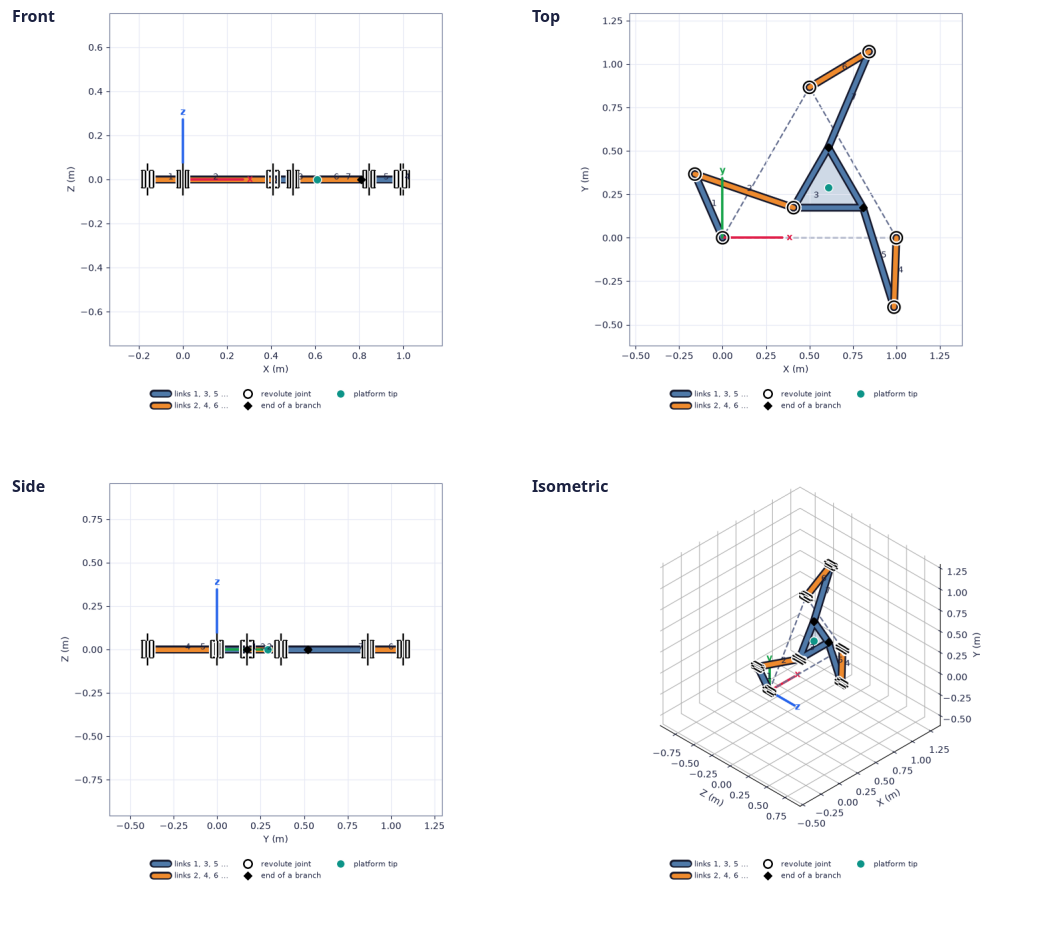
- Auto: a flat drawing for a robot that moves in a plane, a 3-D view you can turn with the mouse for any other.
- Front (x to the right, z up), Top (x to the right, y up) and Side (y to the right, z up): flat views along the ground axes. The joint symbols show whether each axis points at you or lies in the picture.
- Isometric: a 3-D view that shows the three axes equally foreshortened.
Tick or untick Link numbers and Joint symbols to show or hide them. The toolbar of the picture (zoom, pan, save) works as in any matplotlib window.
For a closed loop (a four-bar, a Stewart platform, ...) the start pose is adjusted so that the loop closes, so you see a mechanism that is assembled.