Forward dynamics: the motion under given forces
Given the forces at the joints, find the motion.
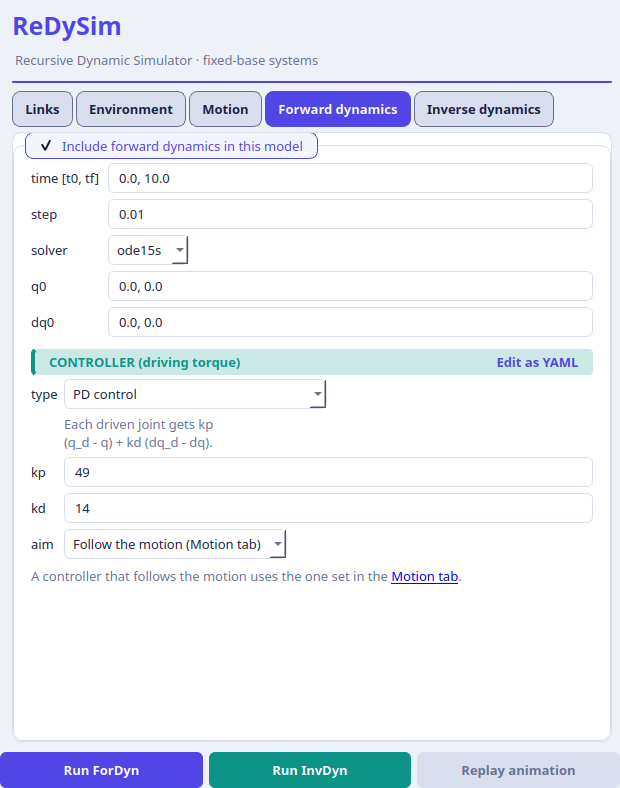
The box Include forward dynamics in this model is ticked when the model has this part. A model
without it (such as kuka_tool) shows it unticked; tick it, or press Run ForDyn, to add it
with default values.
| field | meaning |
|---|---|
time [t0, tf] |
when the simulation starts and ends (s) |
step |
the spacing of the saved results (s) |
solver |
ode45 (the usual choice), ode15s (for stiff systems) or ode5 (fixed step) |
q0, dq0 |
the starting joint positions and rates. One number means the same value for every joint |
Where a list of numbers is wanted, write them separated by commas or spaces. The field says how many it expects, and turns red if the number is wrong.
Which solver? A controller with high gains on a light arm makes the equations stiff, and the
explicit ode45 then needs a very large number of tiny steps. ode15s is made for this: the PD
example of the tour takes 0.06 s with ode15s and several seconds with ode45 in the stand-alone
version (the results agree to four digits). If a run takes long, try ode15s first. ode5 uses a
fixed step and can fail on a stiff system.
The controller
The CONTROLLER (driving torque) decides which forces act at the joints. Choose its type:
| type | what it does | fields |
|---|---|---|
| No driving torque | the joints are free: the robot moves only under gravity and external forces | none |
| PD control | each driven joint gets kp (q_d - q) + kd (dq_d - dq): it is pulled to a target pose |
kp, kd, the aim |
| PD control with gravity compensation | PD, plus the torque that holds the robot up against gravity, so it does not sag (open chains only) | kp, kd, the aim |
| Computed torque | uses the robot's own model to cancel its dynamics; kp and kd then act on the error (open chains only) |
kp, kd, the aim |
| Constant joint forces | the same forces tau at every instant |
tau |
Gravity-compensated PD and computed torque are available for open-loop models. Follow the motion becomes available when the model has a trajectory.
The aim of the three PD-type controllers is either Hold the positions q_d (give q_d,
and optionally the target rates dq_d) or Follow the motion (the motion set in
the Motion tab; the model must then have one). When you add one of these
controllers to a model that already has a motion, Follow the motion is selected by default.
You can still choose to hold fixed positions.
In a closed loop, q_d and tau may give one value per motor instead of one per joint.
Pick the numbers by trying: a larger kp reaches the pose faster and a larger kd damps the
swing. Values such as kp = 49, kd = 14 suit the small arms.
Checks while you type
A value that cannot be right turns red, with a reason when you point at it, and a line at the top of the tab lists the problems.
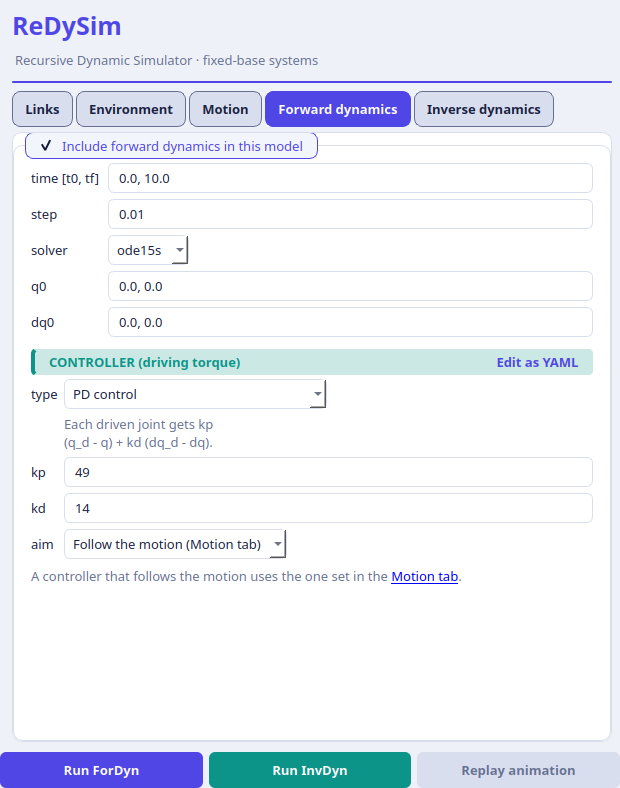
Run does not start while something is red: the window switches to the tab with the problem and says so in the status bar and in the Messages tab.
If you edit the file by hand
time [t0, tf], step, solver, q0 and dq0 are flat keys under fordyn:. The
controller is different: its type becomes a key under fordyn: torque: named for it
(pd, pd_gravity, computed_torque, or constant), and kp, kd, q_d, dq_d, tau are
settings nested under that key, not flat themselves. Follow the motion
is follow: trajectory written in place of q_d. For example:
fordyn:
  q0: [0, 0]
  torque:
    pd: {kp: 49, kd: 14, q_d: [1, 0.5]}
The full list of controllers and their settings is in the command-line manual's Controllers section.